AI-Generated Test Data at Scale
Use AI to generate realistic, diverse test data for performance, security, and functional testing.
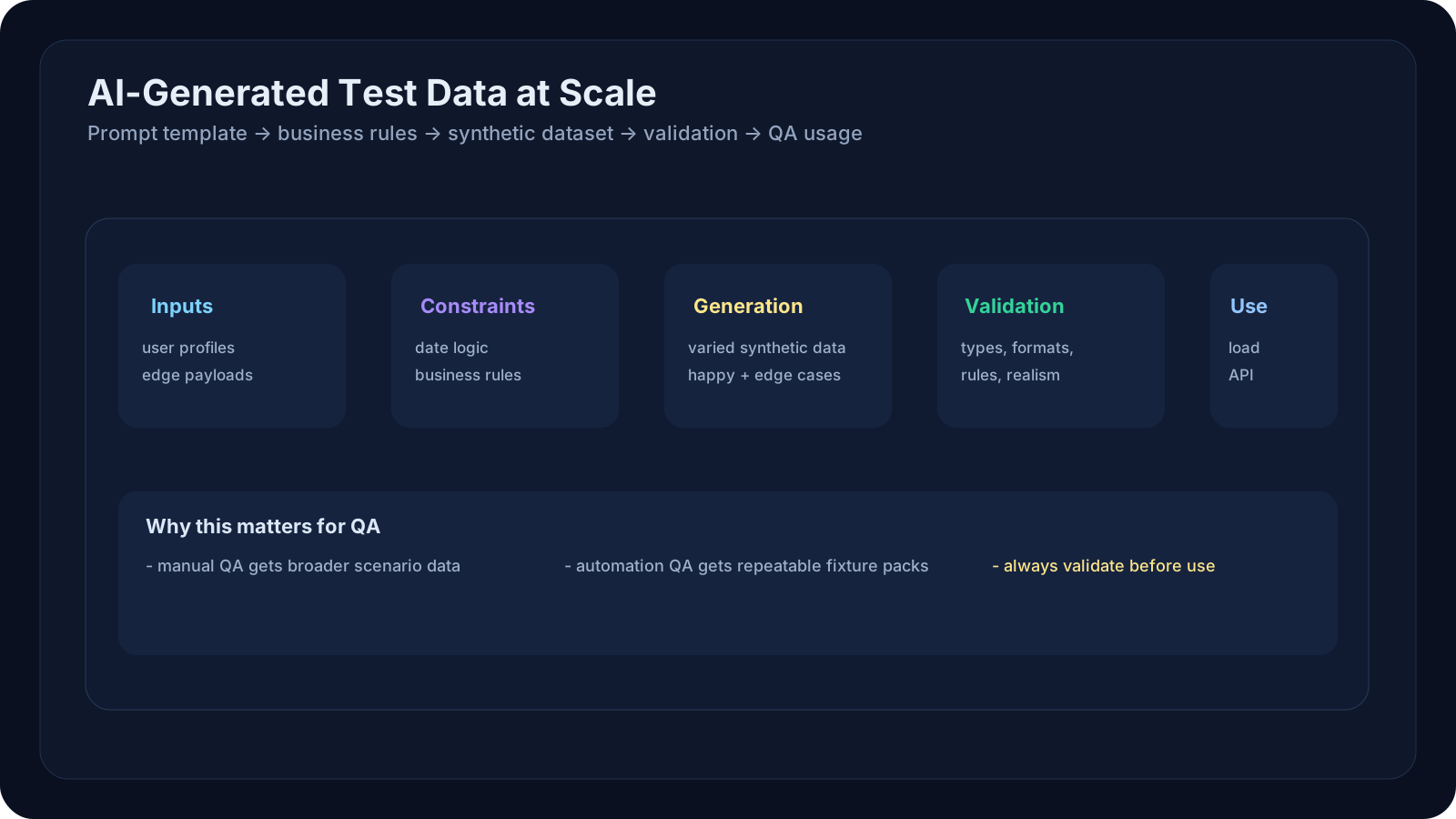
Overview
Test data preparation is one of the biggest QA bottlenecks. Manual data creation is slow, repetitive, and error-prone. Need 10K realistic user profiles for load testing? Create them manually = 80 hours. Need 1K diverse edge-case payloads for API security testing? Same story.
AI-powered test data generation changes this: describe what you need, and AI generates realistic, varied, validated data in minutes. This lesson teaches you how to use LLMs to:
- Generate synthetic user profiles, orders, and transactions
- Create edge-case payloads for API testing
- Build realistic datasets that pass business rules
- Scale data generation from 100s to millions of records
- Integrate data generation into CI/CD pipelines
A Practical Note for QA Learners
This lesson connects back to prompt engineering from Level 5 and forward to the applied QA workflows in Level 7.
Why it matters:
- better prompts create better datasets
- better datasets create better test coverage
- better coverage makes the later AI-for-QA workflows actually useful
Learning Goals
- Generate synthetic test data using prompts and templates
- Ensure data quality: validates against business rules, realistic distributions
- Create diverse datasets covering happy path, edge cases, and error scenarios
- Scale to millions of records using batch generation and APIs
- Integrate with test frameworks (CI/CD, load testing tools)
Core Concepts
Why AI Test Data Matters
| Manual Data | Hardcoded Data | AI-Generated Data | |
|---|---|---|---|
| Time | 80 hrs for 10K records | 0 hrs (hand-coded) | 5 min for 10K |
| Diversity | High (manual variation) | None (copy-paste) | High (AI varies) |
| Realistic | Yes (real data) | Limited | Yes (follows patterns) |
| Volume | 100s max | 100s max | 10K–1M |
| Privacy | Uses real data (risky) | Synthetic (safe) | Synthetic (safe) |
| Validation | Manual | None | Automated |
Data Generation Patterns
Pattern 1: Template-Based
1Template:2{3 "user": {4 "name": "[FIRST_NAME] [LAST_NAME]",5 "email": "[FIRST_NAME].[LAST_NAME]@example.com",6 "age": [18-65],7 "account_created": "[DATE_PAST_YEAR]"8 }9}1011AI generates:12{13 "user": {14 "name": "Alice Johnson",15 "email": "alice.johnson@example.com",16 "age": 34,17 "account_created": "2025-11-15"18 }19}Pattern 2: Constraint-Based
1Constraints:2- Order total must be between $10–$5003- Discount can't exceed 50% of total4- Shipping must be realistic (US state + valid address)5- Order date must be before shipping date67AI generates orders that satisfy all constraints + look realisticPattern 3: Edge-Case Focused
1"Generate 50 API requests that might break our payment endpoint"23AI generates:41. Empty payload: {}52. Negative amount: { "amount": -100 }63. Huge amount: { "amount": 999999999 }74. Special characters: { "name": "<script>alert('xss')</script>" }85. Unicode: { "name": "José María" }9... (45 more edge cases)Practical Data Generation
Example 1: Generate Realistic User Profiles
1import anthropic2import json34def generate_user_profiles(count: int, demographics: dict):5 """Generate synthetic user profiles for testing."""6 7 client = anthropic.Anthropic()8 9 prompt = f"""Generate {count} realistic user profiles for a SaaS app.10 11Demographics:12- Age range: {demographics['age_range']}13- Location: {demographics['locations']}14- Account types: {demographics['account_types']}15- Industry: {demographics.get('industry', 'mixed')}1617Requirements:181. Names should be realistic (first + last)192. Emails should match naming pattern203. Account creation dates should span past 2 years214. Mix of free/premium/enterprise accounts225. Include mix of active/inactive users236. Some profiles should have incomplete data (optional fields missing)2425Return as JSON array:26[27 {{28 "id": 1,29 "name": "...",30 "email": "...",31 "created_at": "...",32 "account_type": "...",33 "region": "...",34 "last_login": "...",35 "is_active": true36 }},37 ...38]3940Generate exactly {count} profiles. Return ONLY valid JSON."""41 42 response = client.messages.create(43 model="claude-opus-4-7",44 max_tokens=8000,45 messages=[46 {47 "role": "user",48 "content": prompt49 }50 ]51 )52 53 # Parse and validate54 data = json.loads(response.content[0].text)55 return data5657# Usage58profiles = generate_user_profiles(59 count=100,60 demographics={61 "age_range": "18-65",62 "locations": ["US", "UK", "Canada"],63 "account_types": ["free", "premium", "enterprise"]64 }65)6667print(f"Generated {len(profiles)} profiles")68# Output: Generated 100 profilesExample 2: Generate Edge-Case API Payloads
1def generate_payment_api_test_cases():2 """Generate test payloads for payment API including edge cases."""3 4 client = anthropic.Anthropic()5 6 prompt = """Generate 30 test cases for a payment processing API.78Include:91. Happy path (valid payment): 5 cases102. Input validation failures: 8 cases11 - Missing fields12 - Invalid formats (bad email, invalid card)13 - Type errors (string where number expected)143. Business rule violations: 6 cases15 - Amount exceeds limit16 - Duplicate transaction (same amount/card within 1 min)174. Edge cases: 8 cases18 - Unicode characters in name19 - Maximum/minimum amounts20 - Expired cards215. Injection attacks: 3 cases22 - SQL injection attempts23 - JSON injection2425For each case, provide:26{27 "name": "...",28 "payload": { ... },29 "expected_result": "...",30 "http_status": 200 or 400 or 42231}3233Return as JSON array only."""34 35 response = client.messages.create(36 model="claude-opus-4-7",37 max_tokens=5000,38 messages=[{"role": "user", "content": prompt}]39 )40 41 return json.loads(response.content[0].text)4243# Usage44test_cases = generate_payment_api_test_cases()45for case in test_cases:46 # Run API with case['payload']47 # Assert response status = case['http_status']48 passExample 3: Load Testing with Synthetic Data
1import locust2import anthropic34class LoadTestWithAIData:5 def __init__(self):6 self.ai_client = anthropic.Anthropic()7 self.test_data = self._generate_load_data()8 9 def _generate_load_data(self):10 """Generate 1000 realistic transactions for load test."""11 prompt = """Generate 1000 e-commerce transactions suitable for load testing.1213Each transaction should include:14{15 "user_id": (1-10000),16 "product_ids": [list of 1-5 product IDs],17 "quantities": [matching lengths to products],18 "total_price": (10-500),19 "payment_method": "card" or "paypal",20 "country": "US/UK/CA",21 "timestamp": "2026-05-31T..."22}2324Realistic distribution:25- 70% small orders ($10-$50)26- 20% medium orders ($50-$150)27- 10% large orders ($150-$500)28- Timestamps spread across past 30 days29- Repeat customers (same user_id in ~30% of transactions)3031Return as JSON array. ONLY JSON, no explanation."""32 33 response = self.ai_client.messages.create(34 model="claude-opus-4-7",35 max_tokens=10000,36 messages=[{"role": "user", "content": prompt}]37 )38 39 return json.loads(response.content[0].text)40 41 def run_load_test(self):42 """Run load test with AI-generated data."""43 for transaction in self.test_data:44 # Simulate POST /checkout45 response = self._api_request(46 method="POST",47 endpoint="/checkout",48 payload=transaction49 )50 assert response.status_code == 20051 # Record response time for metrics5253# Usage54load_test = LoadTestWithAIData()55load_test.run_load_test()QA/SDET Relevance
Manual QA Perspective
Test data directly impacts exploratory testing speed. AI-generated data means:
- Faster access to diverse scenarios
- More test combinations in less time
- Edge cases you didn't think of
Automation Engineer Perspective
Before: Data prep takes 3 days; tests use 10 hard-coded user accounts After: Data generated in 5 min; can run tests with 1000 diverse accounts
Real-world impact:
1Old: 10 test users × 1 scenario = 10 test paths2New: 1000 test users × 1 scenario = 1000 test paths (more coverage)3New: 100 test users × 10 scenarios = 1000 test paths (more scenarios)SDET Perspective
Build reusable data generation framework:
1class TestDataFactory:2 def __init__(self):3 self.ai = anthropic.Anthropic()4 5 def users(self, count, **kwargs):6 """Generate user profiles."""7 return self._generate("user", count, kwargs)8 9 def orders(self, count, user_ids, **kwargs):10 """Generate orders for given users."""11 return self._generate("order", count, {"user_ids": user_ids, **kwargs})12 13 def _generate(self, entity_type, count, params):14 """Unified generation method."""15 # Use templated prompts + caching16 return self.ai.generate(entity_type, count, params)1718# Usage in tests19factory = TestDataFactory()20users = factory.users(100, age_range="18-35")21orders = factory.orders(500, user_ids=[u['id'] for u in users])Examples and Use Cases
Example 1: Performance Testing Baseline
Scenario: Need to load-test new checkout flow. Current baseline: 100 users.
Before (manual):
- Create 100 user accounts manually (5 hours)
- Create 100 orders manually (5 hours)
- Run load test (30 min)
- Total: 10.5 hours
After (AI):
1users = generate_users(100)2orders = generate_orders(100, for_users=users)3run_load_test(users, orders) # 5 minutes totalExample 2: Security Testing Edge Cases
Scenario: Penetration tester needs 50 malicious payloads to test API.
Before: Manually craft XSS, SQL injection, XXE payloads (2 hours)
After:
1payloads = generate_security_test_cases(50, attack_types=[2 "sql_injection",3 "xss",4 "xxe",5 "path_traversal"6])7# Payload examples:8# "'; DROP TABLE users; --"9# "<img src=x onerror=alert('xss')>"10# "../../../../etc/passwd"Example 3: Multitenancy Testing
Scenario: SaaS app with 1000s of customers. Need to test isolation.
Before: Create 100 test tenants manually
After:
1tenants = generate_tenants(1000, distributions={2 "company_size": {"small": 0.6, "medium": 0.3, "large": 0.1},3 "industry": ["tech", "finance", "retail", "healthcare"],4 "region": ["us", "eu", "asia"]5})67for tenant in tenants:8 # Test that tenant A can't see tenant B's data9 assert isolation_check(tenant)Hands-On Exercise
Exercise 1: Generate Test Users
Your task: Use Claude to generate realistic test user data.
Steps:
- Go to Claude.ai
- Paste this prompt:
1 Generate 10 realistic user profiles for an e-commerce platform.2 3 Each profile should have:4 - Name (first + last)5 - Email6 - Country7 - Account creation date (past 2 years)8 - Account status (active/inactive)9 - Purchase history (0-50 orders)10 11 Return as JSON array. Include a mix of US, UK, and Canada locations.12 Include both active and inactive accounts.- Copy the generated JSON
- Ask: "Is this realistic? Would this data be suitable for testing?"
- Try another prompt: "Generate 5 edge-case user profiles" (incomplete data, special characters, etc.)
Exercise 2: Generate API Test Cases
Your task: Generate edge-case payloads for an API.
Steps:
- Go to Claude
- Paste:
1 Generate 15 test payloads for a user registration API that accepts:2 {3 "email": "...",4 "password": "...",5 "first_name": "...",6 "last_name": "..."7 }8 9 Include:10 - 3 valid registrations11 - 5 invalid cases (missing fields, bad email, weak password)12 - 4 edge cases (special characters, unicode, max length names)13 - 3 security cases (injection, XSS)14 15 For each, include expected HTTP status and error message.- Review outputs: Are they practical? Would they catch bugs?
Exercise 3: Calculate Time Savings
Your task: Estimate ROI of AI data generation for your team.
Questions:
- How much time does manual test data prep take per sprint? ___ hours
- How many different data scenarios do you need? ___
- If AI reduced data prep by 80%, new time needed: ___ hours
- Time saved per sprint: ___ hours
- Per month: ___ hours
- Per year: ___ hours
- If your QA engineer earns _____
Data Quality & Validation
⚠️ Common Pitfalls
1DON'T:2- Generate millions of records without validation3 → Cascades garbage data through your pipeline4 5- Use AI data for production-like penetration testing6 → May miss real attack surfaces7 8- Forget to anonymize generated data before sharing9 → Even synthetic data can reveal patterns1011DO:12- Validate generated data against business rules13- Start with small datasets, expand after validation14- Use AI for volume; manual QA for complexity15- Keep generation prompts versioned (reproduce data)Validation Checklist
1def validate_generated_data(records):2 """Validate generated test data."""3 4 for record in records:5 # Type checks6 assert isinstance(record['name'], str)7 assert isinstance(record['created_at'], str)8 9 # Format checks10 assert '@' in record['email']11 assert len(record['password']) >= 812 13 # Business rule checks14 assert record['age'] >= 1815 assert record['account_type'] in ['free', 'premium', 'enterprise']16 17 # Realistic checks18 assert datetime.fromisoformat(record['created_at']) < datetime.now()19 assert ' ' in record['name'] # Has first + last name20 21 print(f"✓ All {len(records)} records passed validation")Key Takeaways
- AI can generate 1000x more test data than manual creation, enabling better coverage and edge-case testing
- Data quality matters: Validate generated data against business rules; garbage in = garbage out
- Scale efficiently: Use template-based generation for high-volume scenarios; AI for complexity + edge cases
- Integrate early: Add data generation to CI/CD so tests always have fresh, diverse data
- Privacy first: Use synthetic data, never real PII; even AI-generated data can leak patterns
- Maintain data libraries: Version your prompts and generated datasets so you can reproduce tests
Next Steps
- Start with a small domain: Generate test data for one API endpoint or feature
- Measure speed/quality gains compared to manual data prep
- Scale to high-volume scenarios (load tests, security testing)
- In Level 7, combine data generation with full test automation: generate data + generate tests + run tests