AI for Debugging, Refactoring, and CI
Use AI to triage failures, reduce flakiness, refactor test suites, and improve automation workflows in CI.
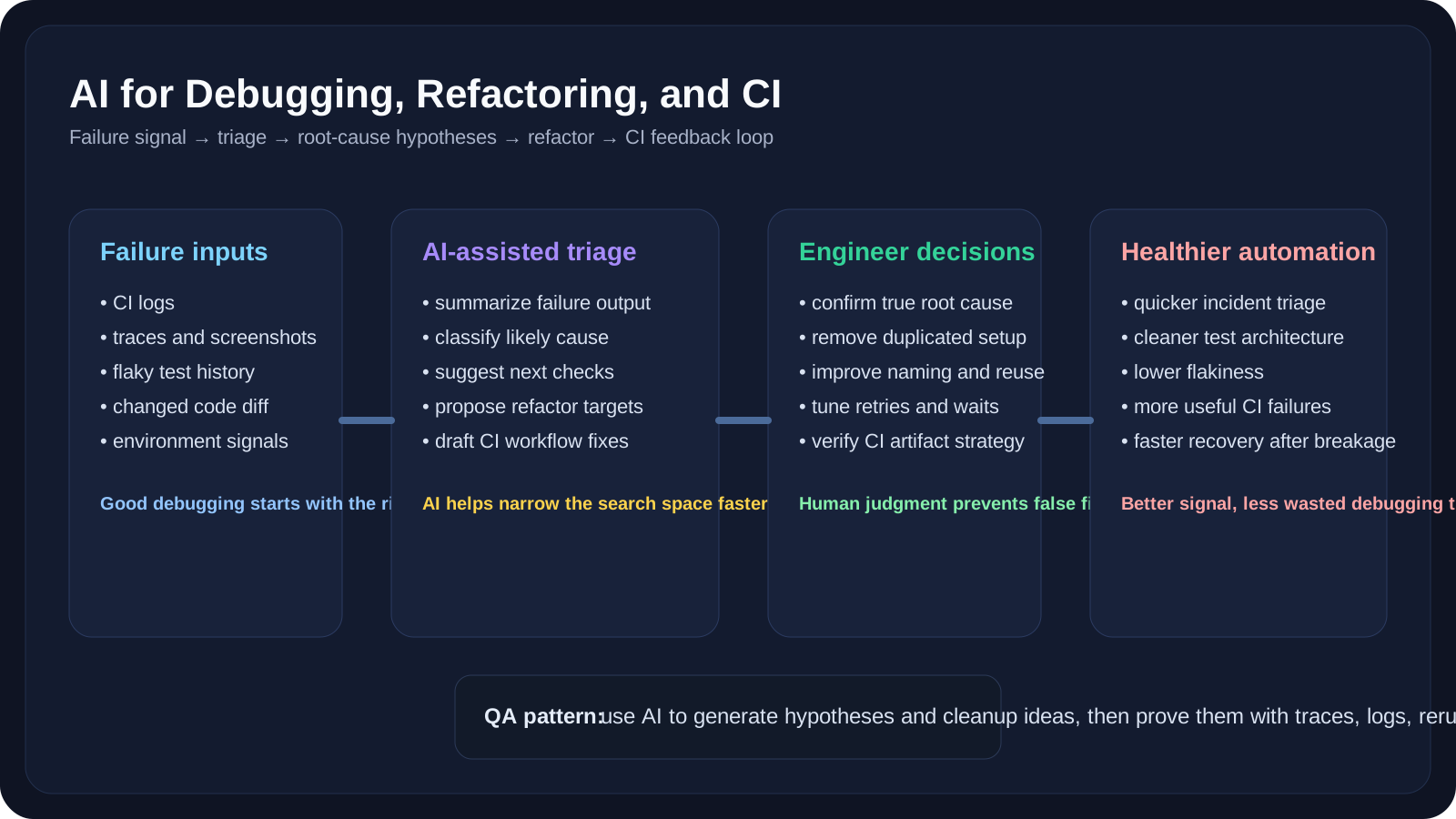
Overview
This companion lesson comes after the UI and API deep dives because failure analysis only becomes meaningful once you already have tests in motion.
Automation teams often lose more time debugging and maintaining tests than writing the first version. AI can help shorten failure-analysis loops, summarize noisy CI output, and propose refactoring opportunities.
In other words, this lesson is about the second half of automation work:
- not generating tests
- but stabilizing, understanding, and improving them after reality hits
A Practical Note for QA Automation Teams
If your suite is already noisy or flaky, use this lesson as a recovery guide:
- gather better evidence first
- let AI summarize and classify
- keep the final root-cause decision human
- fix patterns, not only one-off failures
Learning Goals
- Use AI to debug failing automation runs faster
- Refactor repetitive or fragile suites more systematically
- Improve CI feedback loops and artifact strategy
- Separate flaky tests from real product defects more clearly
10 Practical Examples
Example 1: Summarize a failed run
Ask AI to extract:
- failing step
- probable cause
- likely classification
- recommended next debug action
Example 2: Flake vs defect classification
Have AI classify whether a failure looks like:
- flaky test
- selector issue
- environment instability
- real app defect
Example 3: Trace interpretation
Use Playwright traces or screenshots as evidence for AI reasoning support.
Example 4: Duplicate helper detection
Ask AI to find repeated setup, repeated waits, or repeated assertion logic.
Example 5: Improve assertion messages
Use AI to rewrite vague assertion failures into more informative ones.
Example 6: Cleanup plan generation
Ask AI to categorize tests into:
- keep
- refactor
- split
- stabilize
- delete
Example 7: Artifact strategy review
Ask what should be uploaded from CI:
- traces
- screenshots
- logs
- videos
- summaries
Example 8: PR comment draft
Use AI to turn a failed CI run into a concise team-facing summary.
Example 9: Retry policy review
Ask AI whether current retries are masking defects instead of helping reliability.
Example 10: Refactoring plan for a weak suite
Ask AI for a staged cleanup plan rather than a one-shot rewrite.
Practical Work
Exercise 1: Analyze One Failed Run
Take one failed run and compare AI’s diagnosis with the actual fix.
Exercise 2: Refactor a Small Suite
Use AI to suggest shared helpers and naming improvements for 3 similar tests.
Exercise 3: Improve CI Feedback
Draft a better CI artifact and failure-summary policy with AI support.
Key Takeaways
- AI is highly valuable after tests fail, not just when they are created.
- Failure summarization and suite refactoring are strong automation use cases.
- Better CI evidence makes AI more useful because the model has stronger context.
Next Step
The next lesson zooms out from individual workflows to tool selection. In AI Tools Playbooks for QA Teams, we will compare where ChatGPT, Claude, GitHub Copilot, Microsoft Copilot, and Copilot Studio fit best across QA work.