AI for Playwright and UI Automation
Use AI to draft Playwright tests, improve selectors, strengthen assertions, and review UI automation quality.
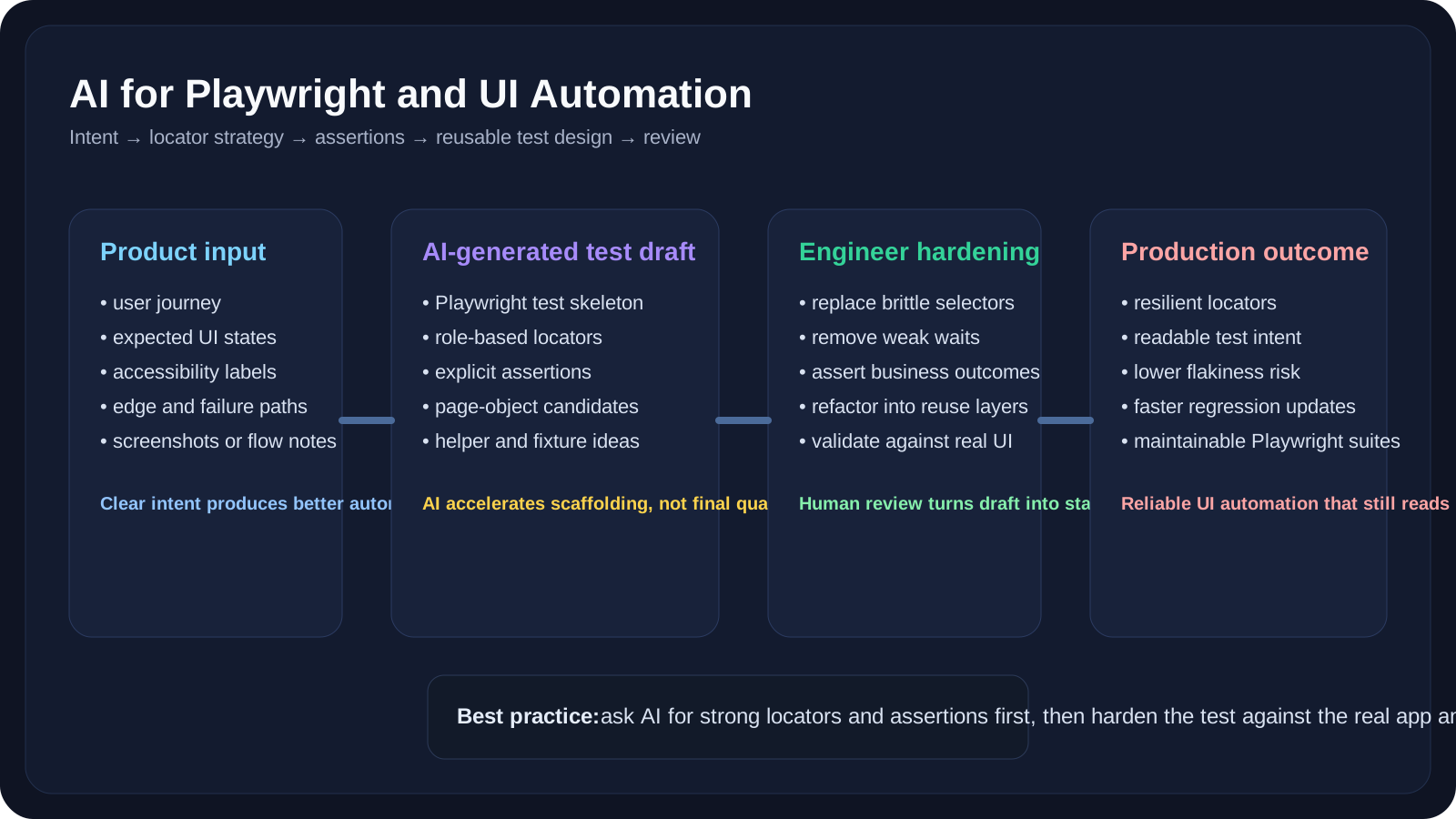
Overview
This companion lesson follows AI for Automation Engineers and focuses on one of the most practical automation questions: how to use AI to produce better Playwright UI automation while keeping tests stable and readable.
Playwright already encourages resilient test design through locators, web-first assertions, and trace-driven debugging. That makes it a strong partner for AI-assisted drafting, as long as the automation engineer reviews the output carefully.
We start with UI automation before API automation for a simple reason: UI tests make the quality problems very visible. If the AI chooses poor selectors, weak assertions, or vague waits, you feel the damage quickly. That makes Playwright a good place to learn disciplined AI-assisted automation habits.
A Practical Note for QA Learners
If you are a manual tester moving into automation, focus on three things in this lesson:
- how to describe the user journey clearly
- how to ask for better assertions, not just more code
- how to reject brittle locator strategies early
Learning Goals
- Generate stronger Playwright drafts from requirements and manual test steps
- Improve locator and assertion quality with AI-assisted review
- Avoid common UI automation mistakes such as brittle selectors and weak waits
- Turn generated tests into reusable Playwright patterns
10 Practical Examples
Example 1: Generate a login flow draft
1Generate a Playwright TypeScript test for a login page.2Use role-based locators, explicit assertions, and no fixed waits.Example 2: Rewrite bad selectors
Ask AI to replace:
nth-childselectors- long CSS chains
- generated classes
with role-based or stable locator strategies.
Example 3: Improve missing assertions
Ask:
1Review this Playwright test and suggest missing assertions for success state, validation messages, and post-action page state.Example 4: Convert PRD into UI scenarios
Ask AI to turn a feature description into:
- happy path
- validation path
- loading state
- empty state
- retry path
- responsive layout checks
Example 5: Draft page objects
Ask AI to generate page objects with:
- locators
- action methods
- no assertions inside page objects
Example 6: Accessibility-aware checks
Ask AI what Playwright assertions could validate:
- labels
- roles
- visible names
- button presence
Example 7: Review trace summaries
Use AI to classify a failing step as:
- locator problem
- timing problem
- precondition issue
- product bug
Example 8: Refactor repetitive UI tests
Ask AI to identify:
- duplicate setup
- repeated navigation
- fixture candidates
- shared component helpers
Example 9: Improve naming
Use AI to rewrite poor test titles and helper names into clearer, behavior-focused language.
Example 10: Turn manual steps into a UI automation draft
Paste manual test steps and ask AI to produce a Playwright version with comments and assertions.
Practical Work
Exercise 1: Improve a Generated Playwright Test
Generate one Playwright draft, then harden it by improving selectors, assertions, and reuse.
Exercise 2: Build a Better Prompt
Take a vague prompt and rewrite it so the AI returns cleaner Playwright output with better constraints.
Exercise 3: Extract a Reusable Pattern
Turn one generated test into a reusable page object or helper structure.
Key Takeaways
- AI works well with Playwright when the prompt is constrained.
- Locator quality and assertion quality matter more than raw code generation speed.
- Human review is what turns a useful draft into a maintainable UI test.
Next Step
Once the UI side is clear, continue to AI for API Testing and Data Validation. That lesson applies the same review mindset to contracts, payloads, response checks, and backend-state verification.