Stateful and Long-Running Agents
Learn how agents persist state, resume work, handle approvals, and survive long-running QA workflows.
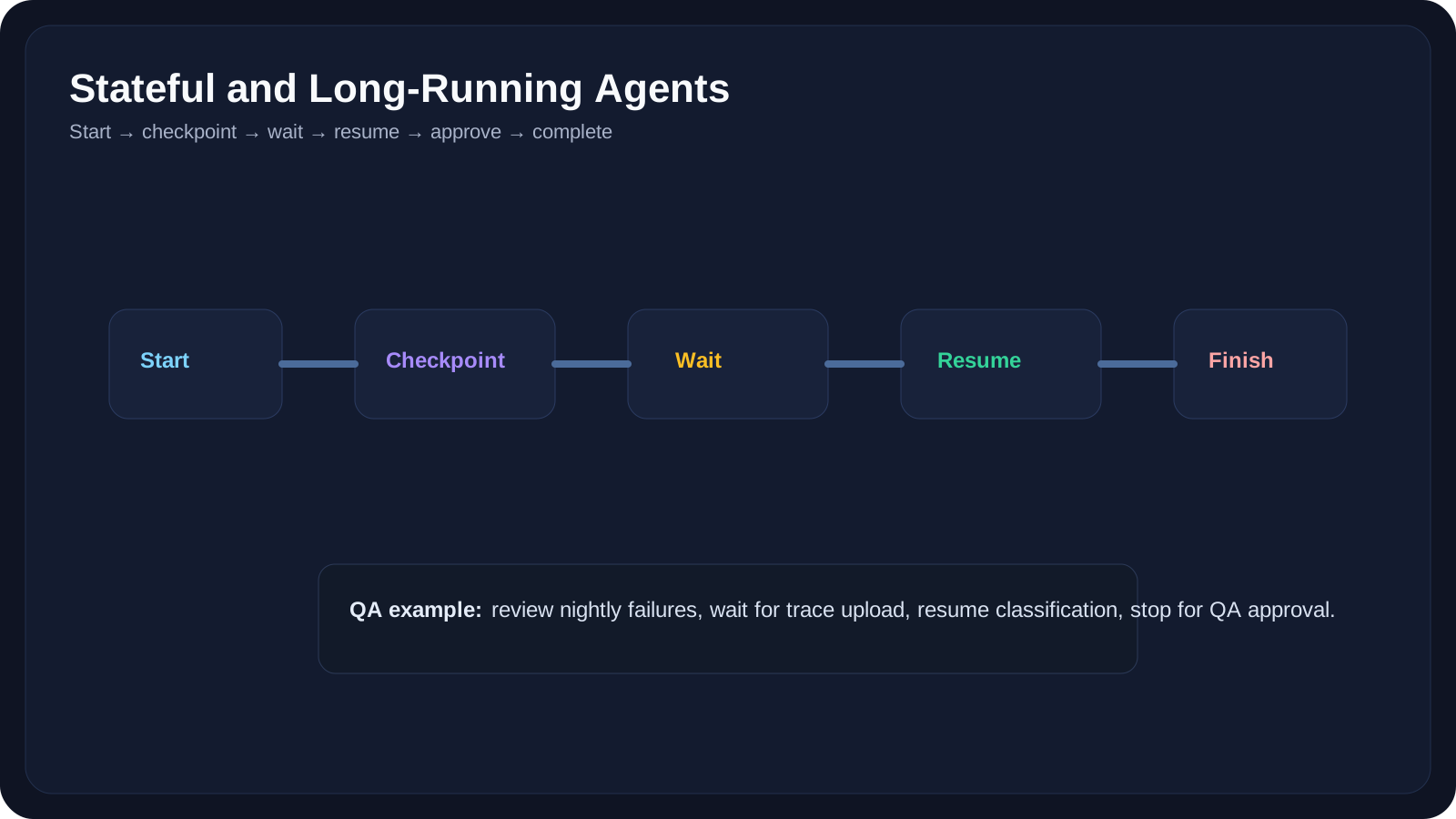
Overview
Many real agent workflows do not finish in one short interaction.
They may:
- wait for human approval
- respond to new events
- continue after a failed step
- resume after a long pause
- survive across sessions
That is why serious agent systems need more than memory. They need state.
OpenAI’s sessions and state guidance emphasize maintaining conversation continuity across runs. LangGraph similarly frames durable execution around thread-scoped state and checkpointing. These ideas matter a lot for QA because many workflows are naturally long-running:
- release coordination
- defect follow-up
- overnight failure review
- regression planning
- repeated requirement refinement
A Practical Note for QA Learners
When a workflow takes hours, days, or many approvals, the question is no longer:
Can the model answer well?
The question becomes:
Can the system reliably remember where it is and what still needs to happen?
That is the heart of this lesson.
Learning Goals
- Understand what makes an agent long-running
- Separate session memory from durable workflow state
- Learn why checkpoints, resumptions, and approvals matter
- Map stateful execution to real QA workflows
- Recognize common failure modes in long-running agent systems
Core Concepts
What Makes an Agent Long-Running?
An agent becomes long-running when it cannot safely finish in one uninterrupted pass.
Examples:
- a release-readiness workflow that waits on multiple teams
- a defect-triage loop that pauses for new evidence
- a regression-planning assistant that resumes after code freeze changes
Why Stateless Systems Break
If the system only relies on chat history, it may:
- repeat finished steps
- forget a pending approval
- misreport task completion
- lose evidence gathered earlier
That is why durable state and checkpoints matter.
Checkpoints
A checkpoint captures enough workflow information to resume safely later.
Examples:
- current step
- completed actions
- collected evidence
- pending approvals
- last tool outputs
Resumptions
Resumption means the agent can continue from prior state rather than restarting blindly.
That is essential for QA flows like:
- "continue after PM answered questions"
- "resume after CI artifacts finished uploading"
- "continue when nightly run completes"
Human Approval Gates
Long-running QA agents often must stop before:
- marking release readiness
- changing bug severity
- filing tickets automatically
- closing investigations
That stop point should be explicit in the state model.
Example State Labels
STARTEDGATHERING_EVIDENCEWAITING_FOR_TEST_RESULTSAWAITING_QA_APPROVALCOMPLETEDBLOCKED
These are much safer than free-form assumptions like "I think we already did that."
10 QA-Friendly Examples
Example 1: Release Readiness Agent
The agent:
- gathers open bugs
- reads test status
- waits for final pipeline
- drafts summary
- pauses for QA lead approval
Example 2: Nightly Failure Review Agent
The agent:
- waits for overnight results
- groups failures
- compares with yesterday
- resumes in the morning with a summary
Example 3: Requirement Clarification Loop
The agent:
- reviews PRD
- drafts questions
- pauses for PM response
- resumes after answers arrive
Example 4: Bug Follow-Up Assistant
The agent:
- reads bug
- gathers logs
- waits for dev feedback
- resumes with updated triage notes
Example 5: Test Data Readiness Checker
The agent:
- validates seed data
- waits for environment refresh
- retries checks later
Example 6: API Change Coordination Agent
The agent:
- detects schema change
- drafts impacted areas
- waits for service owner confirmation
- resumes test update suggestions
Example 7: Flaky-Test Investigation Queue
The agent:
- opens one failure
- gathers artifacts
- pauses when evidence is missing
- resumes after traces arrive
Example 8: Multi-Step Onboarding Assistant
The agent:
- checks access status
- waits for permissions
- resumes with tool setup guidance
Example 9: Compliance Evidence Collector
The agent:
- gathers test artifacts
- waits for missing logs
- assembles a final audit packet
Example 10: Regression Window Coordinator
The agent:
- tracks changing scope
- pauses on late feature changes
- resumes prioritization after updates
Failure Modes to Watch
Failure 1: Lost Position
The agent forgets which step it completed.
Failure 2: Duplicate Actions
The agent reruns a completed step and creates noise or conflicts.
Failure 3: Fake Completion
The agent claims the workflow is done even though an approval or evidence step never finished.
Failure 4: Stale Evidence
The system resumes but relies on old logs, outdated PRDs, or previous release state.
Failure 5: Hidden Wait States
No one can tell whether the system is:
- running
- paused
- blocked
- waiting for approval
Good state design prevents this confusion.
Practical Work
Exercise 1: Draw a State Machine
Choose one QA scenario such as:
- release readiness
- PRD review
- flaky-test triage
Define:
- states
- transitions
- stop conditions
- resume triggers
Exercise 2: Find the Approval Boundary
Take one long-running workflow and decide:
- where the agent may continue automatically
- where it must stop for a human
- what evidence must exist before resumption
Exercise 3: Design a Safe Resume Policy
Write down:
- what data should be saved
- how old evidence can be before it must be refreshed
- how to mark blocked vs waiting vs complete
Reference Links
- OpenAI Agents SDK Sessions
- OpenAI Agents SDK Results and State
- LangGraph Overview
- LangGraph Memory
- Anthropic Engineering Blog
YouTube Resources
- Session Management in OpenAI Agents SDK
- Long-Term Memory for AI Agents
- LangGraph Stateful Agents Tutorial
Key Takeaways
- Long-running agents need durable state, not just long chat history.
- Checkpoints and resumptions are what make paused workflows reliable.
- Approval gates are part of the workflow design, not an afterthought.
- QA workflows are naturally stateful because evidence, timing, and human review change over time.
- Good state design makes agent systems observable, safer, and easier to debug.
Next Step
The next lesson, AI Agent Workflow for QA, turns these ideas into a full end-to-end workflow design.