Prompt Anatomy and Design Patterns
Break prompts into reusable design blocks and apply proven prompt patterns across QA, engineering, and technical workflows.
Overview
Prompt quality improves when prompts are treated as composed design blocks instead of ad hoc text. Once you understand the anatomy of a strong prompt, you can reuse the same structure across very different tasks without starting from zero every time.
For QA professionals, this matters because the same underlying prompt patterns appear everywhere:
- generating test cases
- summarizing defects
- converting requirements to structured scenarios
- extracting risks
- producing machine-validated output
This lesson turns prompt design into a repeatable system. You will learn the reusable blocks, the main design patterns, the anti-patterns to avoid, and a large set of examples you can adapt immediately.
A Practical Note for QA Learners
You do not need to memorize 20 different prompts word for word. The goal is to notice recurring structures. Once you understand the pattern, you can swap the task, context, and constraints for your own work.
If this lesson feels long, focus on:
- the prompt anatomy model
- the main design patterns
- the example library
- the hands-on lab at the end
Learning Goals
- Understand reusable prompt blocks and how they fit together.
- Apply prompt design patterns to QA, engineering, and analysis tasks.
- Distinguish good prompt structure from weak prompt structure.
- Adapt prompt patterns across at least 20 different use cases.
- Build a repeatable pattern library for team use.
Core Concepts
1. Prompt Anatomy: The Reusable Building Blocks
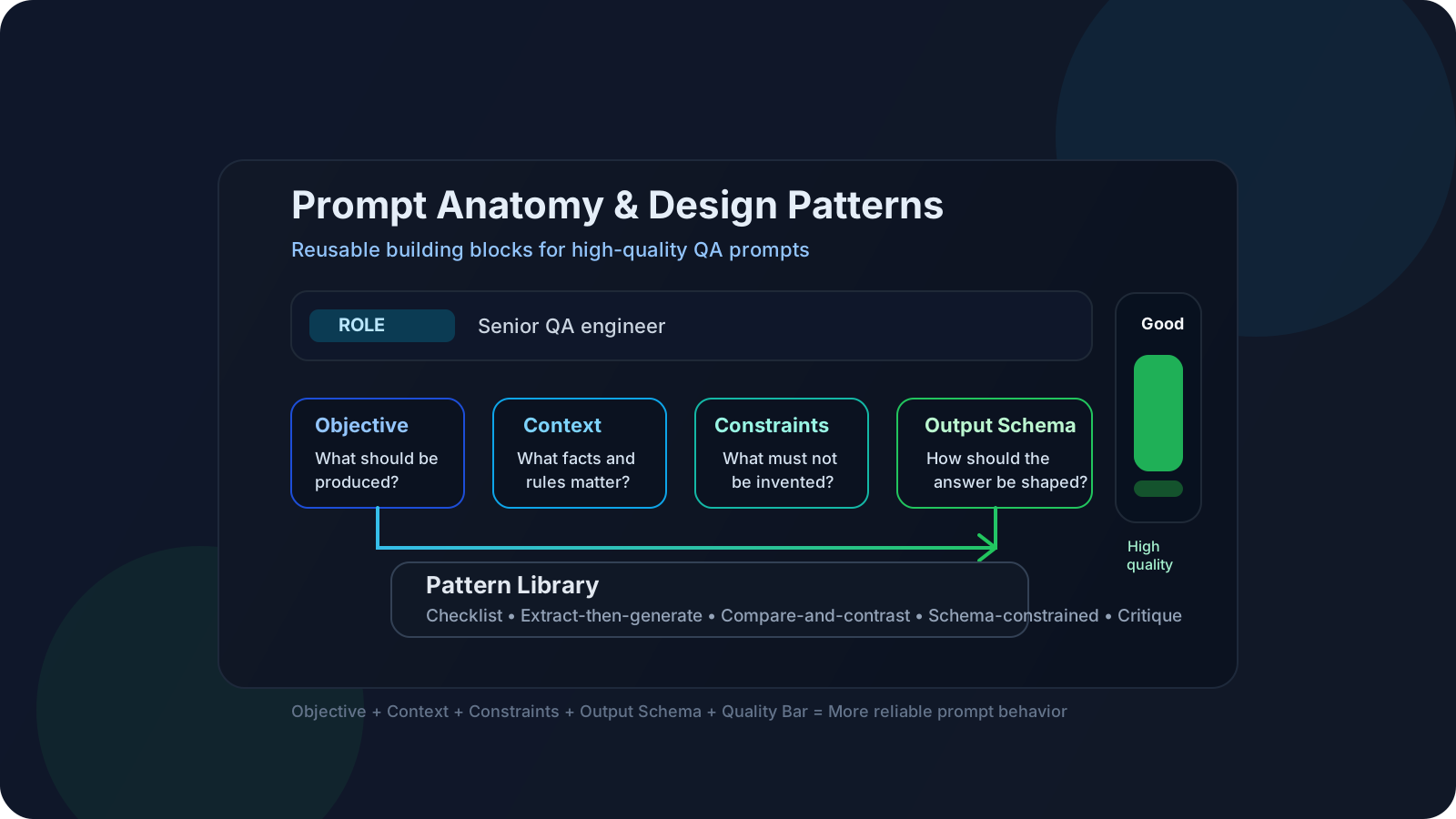
Most strong prompts are built from a common set of blocks:
| Block | Purpose | Example |
|---|---|---|
| Role | Sets perspective or specialization | "You are a senior QA engineer." |
| Objective | States the main job | "Generate boundary-focused API tests." |
| Context | Supplies relevant facts | "OTP expires in 10 minutes." |
| Constraints | Prevents unsupported behavior | "Do not invent endpoints." |
| Output Schema | Makes output reviewable or parseable | "Return a Markdown table." |
| Quality Bar | Expands expected coverage | "Include negative, abuse, and retry cases." |
Base structure:
1Role:2Objective:3Context:4Constraints:5Output schema:6Quality bar:The anatomy matters because most prompt failures can be traced back to one or more missing blocks.
2. Why Pattern Thinking Is Better Than One-Off Prompting
One-off prompting feels fast, but it usually creates:
- inconsistent outputs
- hidden assumptions
- weak repeatability
- difficult reviews
Pattern-based prompting is better because it gives you:
- reusable templates
- stable evaluation targets
- easier prompt versioning
- team-level consistency
A prompt pattern is simply a repeatable structure for a class of tasks.
3. Core Prompt Design Patterns
| Pattern | Best for | Why it works |
|---|---|---|
| Direct instruction | Simple transformations and focused tasks | Low ambiguity |
| Checklist pattern | Coverage-heavy QA tasks | Reduces missed categories |
| Extract-then-generate | Structured synthesis | Separates understanding from production |
| Compare-and-contrast | Triage and tradeoff analysis | Forces explicit differences |
| Classification | Routing, severity, grouping | Produces bounded answers |
| Rewrite pattern | Clarity, cleanup, refactoring | Keeps source intent while improving form |
| Critique pattern | Review and quality improvement | Adds self-checking stage |
| Schema-constrained pattern | Automation pipelines | Improves parseability |
| Few-shot pattern | Format-sensitive outputs | Uses examples to reduce ambiguity |
| Decomposition pattern | Complex multi-step tasks | Splits one hard task into several smaller ones |
4. Common Anti-Patterns
Weak prompts often fail for predictable reasons:
- vague scope
- missing business rules
- no output structure
- conflicting instructions
- too much irrelevant context
- no prioritization between goals
- asking for "everything" without categories
Weak prompt:
1Give me all the edge cases for checkout.Stronger version:
1Role: You are a senior QA engineer.2Objective: Generate edge cases for checkout.3Context: Guest checkout is allowed, coupon is optional, payment retry is allowed up to 3 times.4Constraints: Use only the rules provided.5Output schema: Markdown table with Scenario, Category, Expected Result.6Quality bar: Include validation, payment, retry, session, and confirmation behaviors.5. How to Choose the Right Pattern
Use this shortcut:
| If the task is... | Use this pattern first |
|---|---|
| Simple and direct | Direct instruction |
| Coverage-heavy | Checklist |
| Needs structure | Schema-constrained |
| Needs deep comparison | Compare-and-contrast |
| Needs output review | Critique |
| Too complex in one shot | Decomposition |
| Sensitive to format | Few-shot |
Example Library
Below are 20 reusable examples across QA, engineering, and technical workflows. You do not need to use them exactly as written. Treat them as pattern demonstrations.
1. Test Case Generation
Pattern: Checklist + schema
1Role: You are a senior QA engineer.2Objective: Generate positive, negative, and boundary test cases for password reset.3Context: OTP expires in 10 minutes. Account locks after 5 failed attempts.4Constraints: Do not invent APIs, fields, or security rules not provided.5Output schema: Markdown table with ID, Scenario, Category, Expected Result.6Quality bar: Include retry, expiry, lockout, abuse, and recovery behavior.2. API Test Matrix
Pattern: Direct instruction + categories
1Role: You are a QA automation engineer.2Objective: Generate an API test matrix for the order-cancel endpoint.3Context: Orders can be canceled only before shipment.4Constraints: Use request validation, auth, and state-transition categories.5Output schema: Table with Scenario, Input, Expected Status Code, Expected Result.3. UI Exploratory Charter
Pattern: Checklist
1Role: You are a manual QA engineer.2Objective: Create an exploratory testing charter for user profile editing.3Context: Profile includes name, email, phone, and avatar upload.4Constraints: Focus on validation, usability, interruption, and state persistence.5Output schema: Bullet list grouped by theme.4. BDD Scenario Conversion
Pattern: Extract-then-generate
1Role: You are a QA analyst.2Objective: Convert the following acceptance criteria into Given/When/Then scenarios.3Context: Preserve original business rules.4Constraints: Do not invent missing conditions.5Output schema: One scenario block per requirement.5. Defect Summary Cleanup
Pattern: Rewrite
1Role: You are a QA lead.2Objective: Rewrite the defect summary so it is concise and triage-ready.3Context: Preserve severity, impact, and reproducibility details.4Constraints: Do not remove technical facts.5Output schema: Summary, Impact, Steps to Reproduce, Suspected Area.6. Duplicate Defect Comparison
Pattern: Compare-and-contrast
1Role: You are a triage analyst.2Objective: Compare these two defects and determine whether they are duplicates.3Context: Use symptom, component, trigger, and impact.4Constraints: If uncertain, state what evidence is missing.5Output schema: Duplicate?, Similarities, Differences, Missing Evidence.7. Root-Cause Hypothesis Draft
Pattern: Analysis + bounded uncertainty
1Role: You are a senior SDET.2Objective: Propose likely root-cause hypotheses from the log excerpt.3Context: Focus on timeout, retry, and service dependency behavior.4Constraints: Rank hypotheses by likelihood. Mark assumptions clearly.5Output schema: Ranked list with Evidence and Confidence.8. Release Risk Checklist
Pattern: Checklist
1Role: You are a QA manager.2Objective: Build a release-risk checklist for this feature.3Context: Feature affects checkout and payment confirmation.4Constraints: Include functional, integration, data, rollback, and observability risks.5Output schema: Checklist grouped by risk area.9. Requirement Clarification Questions
Pattern: Gap-finding
1Role: You are a QA analyst.2Objective: Identify requirement gaps and draft clarification questions.3Context: Use only the provided feature description.4Constraints: Focus on validation rules, permissions, states, and failure behavior.5Output schema: Table with Gap, Why It Matters, Clarification Question.10. Test Data Generation
Pattern: Structured output
1Role: You are a QA engineer.2Objective: Generate boundary and invalid test data for age, email, and postal code fields.3Constraints: Group by field and case type.4Output schema: JSON array with field, value, reason, expected_validation_result.11. SQL Validation Ideas
Pattern: Direct instruction + schema
1Role: You are a data QA engineer.2Objective: Generate SQL validation checks for order reconciliation.3Context: Compare order, payment, and shipment tables.4Constraints: Focus on count mismatches, orphan rows, and status inconsistencies.5Output schema: Table with Validation Goal, SQL Idea, Expected Insight.12. Log Summarization
Pattern: Extract-then-summarize
1Role: You are a production support analyst.2Objective: Summarize the log excerpt into incident-relevant findings.3Constraints: Extract only concrete evidence, not guesses.4Output schema: Symptoms, Probable Trigger, Affected Component, Missing Data.13. RAG Grounded Answer
Pattern: Grounding constraint
1Role: You are a QA knowledge assistant.2Objective: Answer the user question using only the provided policy excerpts.3Constraints: If the answer is not supported by the excerpts, say "Not enough evidence."4Output schema: Answer, Source Evidence, Confidence.14. JSON Output Contract
Pattern: Schema-constrained
1Role: You are a test generation assistant.2Objective: Generate test cases as JSON only.3Constraints: Each item must contain id, scenario, category, expected_result. No prose outside JSON.4Output schema: Valid JSON array.15. Prompt Critique
Pattern: Critique
1Role: You are a prompt reviewer.2Objective: Critique the prompt for clarity, missing constraints, output ambiguity, and hallucination risk.3Output schema: Strengths, Weaknesses, Missing Constraints, Revised Prompt.16. Few-Shot Formatting Example
Pattern: Few-shot
1Task: Convert user stories into a Markdown risk table.23Example input:4Users can upload profile images up to 5 MB.56Example output:7| Risk | Why it matters |8|---|---|9| Oversized file upload | May bypass validation or cause timeout |17. Severity Classification
Pattern: Classification
1Role: You are a defect triage assistant.2Objective: Classify this issue as blocker, critical, major, minor, or low.3Context: Use impact, reproducibility, and affected user scope.4Constraints: Explain the reasoning briefly.5Output schema: Severity, Rationale, Missing Information.18. Prompt for UI Automation Scaffold
Pattern: Direct instruction + constraints
1Role: You are a Playwright automation engineer.2Objective: Generate a test scaffold for checkout.3Constraints: Use stable selectors, avoid brittle nth-child style selectors, and include comments for missing app details.4Output schema: Playwright test code.19. Security Abuse Scenario Generation
Pattern: Checklist
1Role: You are a QA security tester.2Objective: Generate abuse-focused scenarios for the password reset flow.3Constraints: Cover enumeration, brute force, replay, and lockout bypass attempts.4Output schema: Table with Scenario, Risk, Expected Defense.20. Team Prompt Library Entry Builder
Pattern: Documentation template
1Role: You are a QA enablement assistant.2Objective: Convert this prompt into a reusable prompt library entry.3Output schema: Prompt ID, Use Case, Prompt Text, Known Weaknesses, Evaluation Notes, Example Good Output.Pattern-to-Use-Case Mapping
| Use case | Strong starting pattern |
|---|---|
| Test generation | Checklist + schema |
| Requirement clarification | Gap-finding |
| Defect triage | Compare-and-contrast or classification |
| Structured automation output | Schema-constrained |
| RAG assistant answer | Grounding constraint |
| Prompt review | Critique |
| Multi-step analysis | Decomposition |
QA/SDET Relevance
Manual QA benefits:
- clearer exploratory charters
- stronger clarification questions
- better defect summaries
- more consistent release-risk notes
Automation and SDET benefits:
- reusable prompt templates for CI workflows
- stronger structured outputs for scripts
- more reliable generation of tests, payloads, and validations
- easier regression checking across prompt versions
One practical takeaway:
- once a prompt becomes useful more than once, treat it like a reusable asset
Practical Work
Exercise: Build a 10-Pattern Team Starter Pack
Objective: Turn this lesson into a working prompt library for your team.
- Pick 10 examples from the library above.
- Rewrite each one for your product domain.
- Run each prompt on at least 2 realistic inputs.
- Score the outputs for usefulness, correctness, and reusability.
- Save the best version with a prompt ID and known weak spots.
Suggested scoring dimensions:
| Criterion | What to check |
|---|---|
| Clarity | Is the task unambiguous? |
| Coverage | Did the output include the needed areas? |
| Correctness | Did it avoid inventions? |
| Format quality | Is the output easy to review or parse? |
| Reusability | Can the prompt be used again with minor changes? |
Reflection
- Which patterns worked best for QA tasks?
- Which examples needed stronger constraints?
- Which prompts should become team defaults?
Recommended Resources
- OpenAI prompt engineering guide
- Anthropic prompt engineering overview
- Google Cloud prompt design guide
- Microsoft Azure OpenAI prompt engineering concepts
- Prompting Guide
- Simon Willison prompt engineering notes
- A Prompt Pattern Catalog to Enhance Prompt Engineering with ChatGPT
Key Takeaways
- Prompt anatomy gives you reusable design blocks.
- Prompt patterns are more valuable than isolated prompt tricks.
- Different use cases need different prompt structures.
- QA teams benefit when prompts are standardized, evaluated, and reused.
- Once you can recognize the pattern, adapting it to a new task becomes much easier.
Next Step
Continue to Role and Instruction Hierarchy to understand how instruction placement and role structure change prompt behavior.