Prompt Engineering Fundamentals
Learn prompt anatomy, context, constraints, output format, evaluation, and reusable prompt design for QA work.
Overview
Prompt engineering is the practice of turning vague requests into clear, testable instructions that consistently produce useful output. For QA professionals, that makes it one of the most practical AI skills in the whole course.
A good prompt does more than ask nicely. It defines scope, reduces ambiguity, encodes business rules, and shapes the output into something a human or automation pipeline can actually use.
This lesson focuses on the foundations: prompt anatomy, quality patterns, anti-patterns, prompt evaluation, and repeatable prompt design for QA workflows.
A Practical Note for QA Learners
You do not need to become a prompt wizard to benefit from this lesson. The real goal is simpler: learn how to write prompts that are clear enough to test, stable enough to reuse, and structured enough to fit real QA work.
For practical QA work, three things matter most:
- better prompts produce better first drafts for tests, summaries, and analysis
- clear constraints reduce hallucinations and invented details
- evaluation matters just as much as writing the prompt itself
If the topic starts to feel broad, focus on the anatomy template, the good-vs-bad examples, the failure modes, and the hands-on lab.
Learning Goals
- Explain what makes a prompt clear, bounded, and reproducible.
- Use a structured prompt template for QA tasks.
- Identify and fix weak prompt patterns.
- Evaluate prompt outputs with a practical QA rubric.
- Create reusable prompt assets for a team-level prompt library.
Core Concepts
1. Prompt Engineering Is Specification Design
A prompt is not just a question. In real engineering work, it behaves more like a lightweight functional specification.
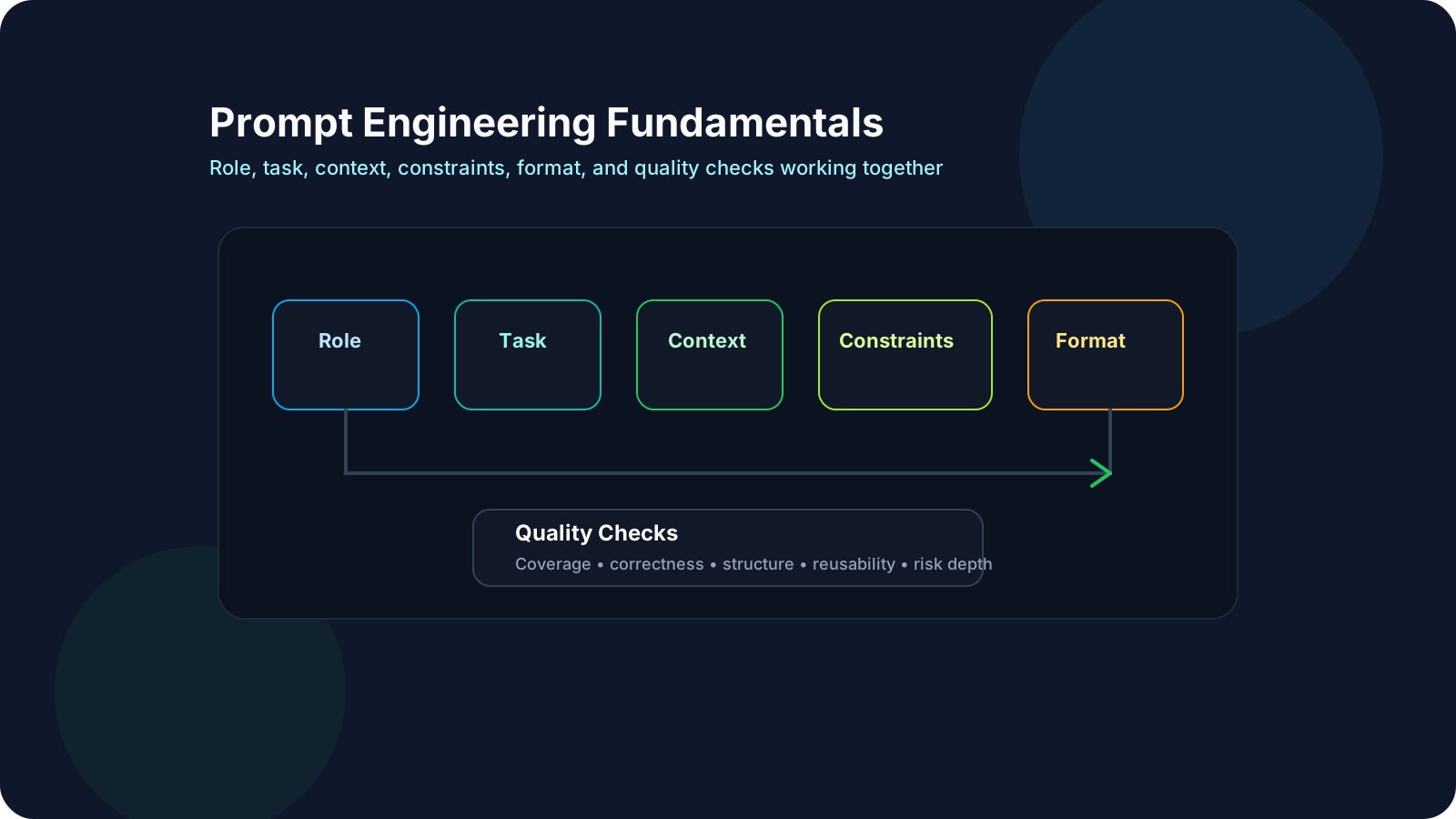
High-quality prompts define:
- role
- objective
- context
- constraints
- output format
- quality checks
That is why prompt quality often determines whether AI output is merely interesting or actually useful.
For QA teams, this matters because vague prompts create vague output, and vague output is difficult to validate.
2. Prompt Anatomy Template
Use this baseline template for most QA tasks:
1Role:2Task:3Context:4Constraints:5Output format:6Quality checks:Example for QA:
1Role: You are a senior QA engineer.2Task: Generate boundary and negative API tests for password reset.3Context: OTP expires in 10 minutes; account locks after 5 failed attempts; email is the primary identifier.4Constraints: Do not invent endpoints, fields, or business rules not provided.5Output format: Markdown table with columns ID, Scenario, Type, Expected Result.6Quality checks: Include security, retry, expiry, abuse, and lockout behavior.Why this works:
- the role anchors tone and perspective
- the task defines what success looks like
- the context gives relevant facts
- the constraints reduce hallucination risk
- the format makes output reviewable
- the quality checks widen coverage beyond the obvious cases
3. Good, Better, and Production-Ready Prompts
Weak prompt
1Give me test cases for login.Why it fails:
- no scope
- no risks
- no output structure
- no domain rules
Better prompt
1Generate positive and negative test cases for login.Why it improves:
- task is clearer
- some coverage expectation exists
What is still missing:
- business rules
- explicit constraints
- reusable structure
Production-ready QA prompt
1Role: You are a senior QA engineer.2Task: Generate positive, negative, boundary, and abuse-focused test cases for user login.3Context: Login supports email and password, MFA is optional, account locks after 5 failed attempts, and successful login redirects to dashboard.4Constraints: Use only the provided rules. Do not invent APIs, fields, or security features that are not mentioned.5Output format: Markdown table with ID, Scenario, Category, Preconditions, Expected Result.6Quality checks: Include validation, authentication failure, lockout, MFA, redirect, and session-handling scenarios.This version is easier to:
- review
- compare across runs
- reuse in a team prompt library
- convert into automation or structured documentation
4. Prompt Components That Usually Improve QA Output
| Component | What it does | QA example |
|---|---|---|
| Role | Sets perspective | "You are a senior QA engineer" |
| Task | States objective | "Generate API regression tests" |
| Context | Adds facts and constraints | "OTP expires in 10 minutes" |
| Constraints | Prevents unsupported output | "Do not invent endpoints" |
| Output format | Makes response parseable | "Return JSON array" |
| Quality checks | Expands real coverage | "Include abuse and negative scenarios" |
If a prompt is underperforming, one or more of these parts is usually missing or weak.
5. Common Prompt Failure Modes
Prompt failures are often predictable. The most common ones are:
- missing business constraints
- ambiguous output format
- too much irrelevant context
- no quality checks or acceptance criteria
- contradictory instructions in the same prompt
- mixing multiple goals without prioritization
Example:
1Generate a short but complete summary with all details.Problem:
- short and complete can conflict
Better:
1Generate a concise summary in 5 bullet points.2Include user impact, root cause, and next action.6. Prompt Quality Checklist
Before using a prompt in real QA work, ask:
| Check | Question |
|---|---|
| Scope clarity | Is the task clearly bounded? |
| Context quality | Does the model have the right facts? |
| Constraint quality | Have you prevented likely inventions? |
| Output usefulness | Can a human or script actually use the result? |
| QA depth | Does the prompt ask for edge cases, negative cases, and risks? |
| Reusability | Could this prompt be used again next sprint? |
7. Prompt Iteration Loop
Prompt design is rarely one-shot. Use this loop:
- Draft the prompt.
- Run it on 3 to 5 varied inputs.
- Score the output.
- Refine the wording, constraints, or format.
- Save the improved version with a version label.
This small loop is what turns prompting from trial-and-error into a repeatable practice.
8. Evaluating Prompt Output
For QA work, a useful output rubric often includes:
| Criterion | What you are checking |
|---|---|
| Requirement coverage | Did the output use the rules you provided? |
| Correctness | Did it avoid invented facts and unsupported logic? |
| Output quality | Is the structure usable and clear? |
| Risk depth | Did it cover negative, boundary, and abuse scenarios? |
| Reusability | Can the prompt and output be reused next time? |
Prompt engineering without evaluation usually becomes opinion-driven rather than evidence-driven.
9. Prompt Libraries for Teams
Treat good prompts as reusable assets, not personal tricks.
A team prompt library should capture:
- prompt ID
- owner
- use case
- current version
- known failure cases
- example input
- example good output
Example entry:
| Field | Example |
|---|---|
| Prompt ID | QA-API-RESET-001 |
| Use case | Password reset API test generation |
| Version | v1.3 |
| Known weak spot | Sometimes misses session invalidation |
| Output format | Markdown table |
This is especially useful once prompts start feeding automation, CI checks, or shared QA workflows.
QA/SDET Relevance
Manual QA use cases:
- generate exploratory charters from acceptance criteria
- expand edge-case lists from user stories
- summarize bug triage threads into clearer notes
- turn product ambiguity into clarifying questions
Automation and SDET use cases:
- generate structured test cases for APIs and UI flows
- create reusable prompt packs for CI-based AI checks
- build schema-safe prompts for JSON outputs
- compare prompt behavior across model upgrades
One practical rule:
- treat prompts like test assets
- version them
- evaluate them
- keep known failure cases beside them
Practical Work
Exercise: Prompt Makeover Lab
Objective: Turn weak prompts into reusable, production-friendly QA prompts.
Step 1: Collect weak prompts
Take 5 prompts from your own work or use these starter examples:
1Give me test cases for file upload.1Summarize this bug thread.1Generate Playwright tests for checkout.Step 2: Rewrite them using the anatomy template
For each one, fill in:
- role
- task
- context
- constraints
- output format
- quality checks
Step 3: Run old vs new prompts on the same input
Use identical inputs and compare:
- coverage
- output structure
- usefulness
- hallucination rate
- QA depth
Step 4: Score both versions
| Criterion | 0 | 1 | 2 |
|---|---|---|---|
| Requirement coverage | misses key rules | partial | complete |
| Output clarity | ambiguous | mostly clear | unambiguous |
| Format compliance | invalid | mostly valid | fully valid |
| QA risk depth | shallow | moderate | strong |
| Reusability | one-off | partly reusable | template-ready |
Step 5: Publish your best prompts
Choose the best 3 rewritten prompts and store them in a shared prompt library.
Suggested Hands-On Prompt Scenarios
Try at least 3 of these:
- Generate boundary-focused API tests for password reset.
- Generate negative UI tests for profile update validation.
- Convert acceptance criteria into BDD scenarios.
- Summarize a long bug thread into triage-ready bullets.
- Generate a release-risk checklist from a feature description.
Reflection
- Which prompt change improved output the most: context, constraints, or format?
- Which weak prompt looked acceptable at first but failed under scoring?
- What prompt patterns should become team defaults?
Recommended Resources
Official docs and platform guides
- OpenAI prompt engineering guide
- Anthropic prompt engineering overview
- Google Cloud prompt design guide
- Microsoft Azure OpenAI prompt engineering concepts
Practical references
- Lilian Weng: Prompt Engineering
- Simon Willison prompt engineering notes
- DAIR.AI Prompt Engineering Guide
- OpenAI Cookbook
- Anthropic courses and examples
Books
- *Building LLM Powered Applications* by Chip Huyen
- *Prompt Engineering for Generative AI* by James Phoenix and Mike Taylor
YouTube Resources
What this helps with: A prompt-engineering-first introduction that is much closer to this lesson's focus on instructions, context, examples, and output shaping.
Key Takeaways
- Prompt engineering is structured specification writing for model behavior.
- Better prompts combine role, task, context, constraints, format, and quality checks.
- Prompt quality should be evaluated, not guessed.
- Reusable prompts are team assets, not one-off chat tricks.
- For QA teams, good prompting improves both productivity and risk control.
Next Step
Continue with Advanced Prompt Engineering to learn few-shot design, decomposition, critique loops, structured outputs, and prompt robustness patterns for more complex QA workflows.